
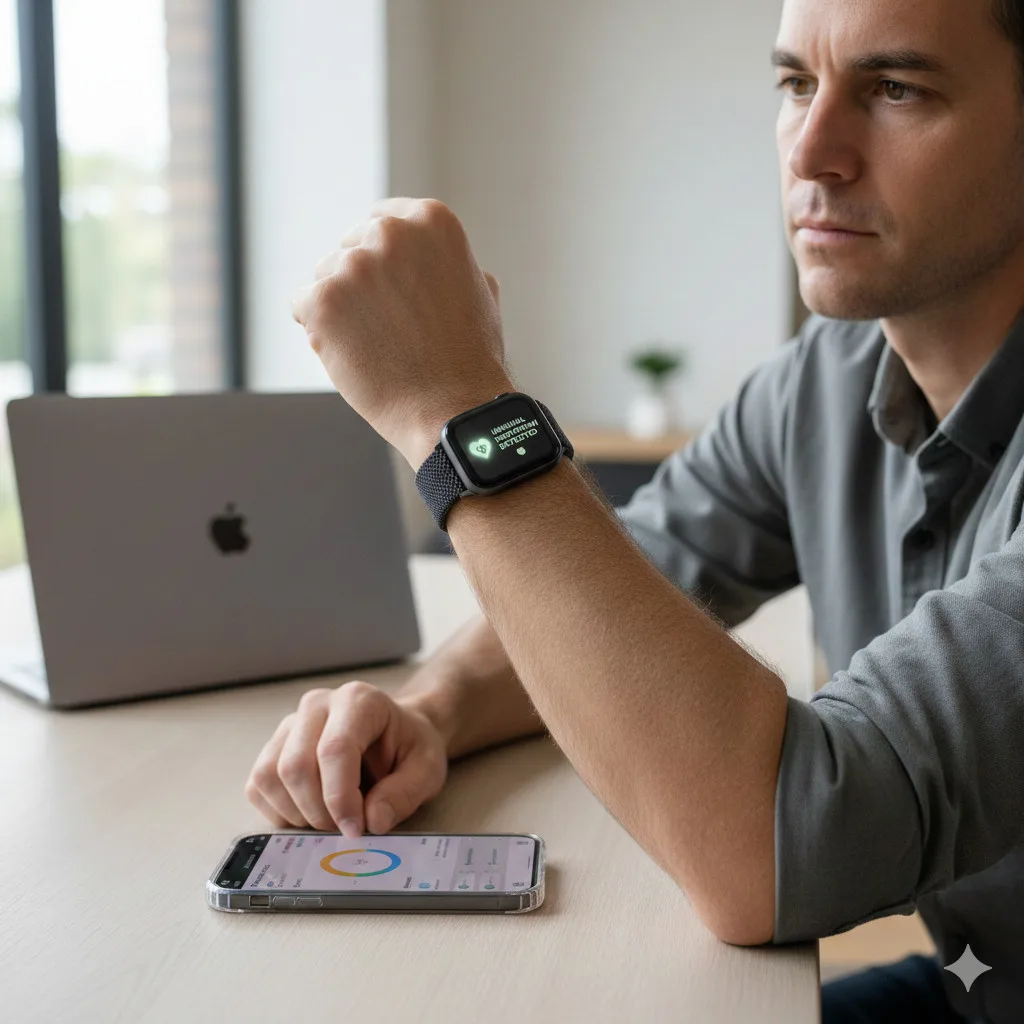

What Apple Watch Hypertension Alerts Actually Do
Apple has steadily repositioned the Apple Watch from a fitness accessory into a broader health companion. The latest addition to its wellness toolkit is hypertension alerts, a feature designed to flag long‑term patterns that may be associated with elevated blood pressure.
Crucially, the Apple Watch does not measure blood pressure directly. There is no hidden inflatable cuff in the band, and you will not see systolic/diastolic readings on your wrist. Instead, hypertension alerts rely on:
- Heart rate and heart rate variability trends
- Movement and activity patterns
- Sleep and recovery signals (where available)
- Other contextual data stored in the iOS Health app
Over roughly a 30‑day window, your Apple Watch and iPhone analyze this data for sustained shifts that statistically correlate with patterns seen in people who have hypertension. If the algorithms detect a concerning trend, you’ll receive a notification explaining that your recent data may be consistent with elevated blood pressure.
These alerts are:
- Informational, not diagnostic – They do not confirm hypertension.
- Trend‑based – They look at weeks of data, not single events.
- A prompt to investigate – They’re meant to encourage follow‑up with proper blood pressure measurements or a clinician.
Apple explicitly positions the feature as an early warning signal for people who have not yet been diagnosed with high blood pressure, rather than a tool for managing a known condition.
Who Can Use Hypertension Alerts
Hypertension alerts are not available on every Apple Watch or for every user. There are several technical and eligibility requirements.
Supported Apple Watch and iPhone Models
To use the feature, you’ll need:
- Apple Watch Series 9 or later, or
- Apple Watch Ultra 2 or later
paired with:
- iPhone 11 or later
Both devices must be running relatively recent versions of watchOS and iOS, since the hypertension feature depends on newer health algorithms and background processing.
Age, Health Status and Other Requirements
Apple applies additional eligibility criteria to reduce the risk of misinterpretation.
You must:
- Be 22 years of age or older
- Not be pregnant
- Not have a prior diagnosis of hypertension
- Have Wrist Detection turned on for your Apple Watch
The feature is intended for people who may be at risk but have no formal hypertension diagnosis yet. If you already know you have high blood pressure, your care should still be guided by a clinician and validated devices like a cuff‑based blood pressure monitor.
Data and Wear‑Time Expectations
Hypertension alerts rely on long‑term patterns, so they won’t trigger immediately after you turn them on. For the algorithms to work effectively, you should:
- Wear your Apple Watch daily, including during normal activities
- Consider wearing it overnight if you use sleep tracking
- Keep your Health app profile up to date (age, sex, height, weight)
The more consistent your wear‑time and health data, the more reliable the trend analysis will be. Missing days or wearing the watch only occasionally can limit the feature’s usefulness.
How to Turn On Hypertension Alerts on Apple Watch
You can’t enable hypertension alerts directly on the watch itself. All configuration happens in the Health app on your paired iPhone.
Follow these steps carefully:
Step 1: Open the Health App on Your iPhone
- On your iPhone, tap the Health icon to open the app.
- Make sure this is the same iPhone that is paired with your Apple Watch.
Step 2: Go to Your Profile
- In the Health app, look for your profile icon (usually in the top‑right corner of the main screen).
- Tap your profile to open your account and device settings.
Step 3: Open the Health Checklist
- Within your profile, find and tap Health Checklist.
- This section aggregates major health features (like fall detection, heart notifications and more) and shows whether they’re enabled.
Step 4: Find Hypertension Notifications
- Scroll through the Features list in the Health Checklist.
- Tap Hypertension Notifications.
If you don’t see this option:
- Ensure your iPhone and Apple Watch are updated to the latest iOS and watchOS.
- Confirm that your watch is a Series 9 or later or Ultra 2 or later.
- Check whether the feature is supported in your country or region; Apple often rolls out health features gradually.
Step 5: Confirm Eligibility and Health Details
When you tap Hypertension Notifications, the Health app will walk you through a short setup flow:
- Confirm your age – You must be 22 or older.
- Confirm that you have not been diagnosed with hypertension.
- Review your key health details such as date of birth and biological sex, updating them if needed.
These details help the algorithms interpret your data more accurately and ensure that the alerts are used in the intended population.
Step 6: Review How the Alerts Work
The Health app will show informational screens explaining:
- That the Apple Watch does not measure blood pressure directly
- That alerts are based on trends over about 30 days
- That notifications are not a diagnosis and do not replace medical care
Read these carefully, then tap Continue as prompted.
Step 7: Finish Setup
Once you’ve reviewed the information screens:
- Tap Done to complete setup.
- Hypertension alerts will now be enabled and running in the background.
There’s no need to start or stop monitoring manually. The system quietly analyzes your data over time and only notifies you if it detects a potentially meaningful trend.
How Hypertension Notifications Appear and How to Manage Them
Once enabled, hypertension alerts can show up on both your Apple Watch and iPhone.
What a Hypertension Alert Looks Like
When the system detects a concerning pattern, you’ll typically see a notification that:
- States that a long‑term trend in your health data may be consistent with elevated blood pressure
- Provides context and a brief explanation of what that means
- Suggests next steps, such as checking your blood pressure with a cuff or consulting a healthcare provider
You will not see a specific blood pressure value because the watch does not capture that metric.
Adjusting Notification Settings
You can fine‑tune how and where these alerts appear.
On your iPhone:
- Open Settings.
- Tap Notifications.
- Scroll down and select Health.
- Adjust:
- Whether notifications appear on the Lock Screen
- If they show in the Notification Center
- Banner style and sounds
On your Apple Watch:
- Open the Watch app on your iPhone.
- Go to Notifications.
- Tap Health.
- Choose whether to mirror iPhone alerts or customize them for the watch.
You may also see options for time‑sensitive notifications, allowing important health alerts to break through Focus modes.
Reviewing Health Data in the Health App
Any time you receive a hypertension alert, you can:
- Open the Health app
- Navigate to the Heart or related sections
- Review educational materials explaining:
- What hypertension is
- Why your recent data may have triggered an alert
- Recommended actions or questions to raise with a clinician
While you won’t see blood pressure numbers, the surrounding data (heart rate, activity, sleep) can provide context if you decide to seek medical advice.
How Hypertension Alerts Can Help You
Hypertension is often called a “silent” condition because it can develop slowly, with few or no obvious symptoms, until it leads to more serious problems like heart disease or stroke. Many people only discover they have high blood pressure during a routine check‑up.
Hypertension alerts on Apple Watch aim to bridge that gap by:
- Surfacing subtle changes in your cardiovascular patterns that you might never notice yourself
- Encouraging earlier conversations with your doctor
- Prompting you to use a validated blood pressure monitor at home for confirmation
- Highlighting the potential need for lifestyle changes, such as:
- More consistent physical activity
- Adjustments to diet (e.g., reducing sodium intake)
- Better sleep habits
- Stress management strategies
For users who are already tracking other health metrics on Apple Watch—like exercise minutes, sleep duration or mindfulness sessions—hypertension alerts add another layer of insight that can support more informed discussions with healthcare professionals.
What to Do If You Receive a Hypertension Alert
Seeing a notification about possible elevated blood pressure can be unsettling, but it does not mean you’re in immediate danger.
Here’s a practical sequence of steps:
- Don’t panic
- The alert is based on statistical trends, not a single crisis reading.
It’s informational and designed to encourage follow‑up.
Confirm with a blood pressure monitor
- Use a cuff‑based home blood pressure monitor if you have one.
- Take several readings at different times of day, following the device’s instructions.
If you don’t own a monitor, consider visiting a pharmacy, clinic, or doctor’s office where you can get a proper reading.
Contact a healthcare professional
- Share your Apple Watch alert and any home blood pressure readings.
- Discuss your family history, medications and lifestyle factors.
Your clinician can decide if further testing or treatment is needed.
Review lifestyle factors
- Look at your activity, sleep, and stress data in the Health app.
Consider whether recent changes—like higher stress at work, less exercise, or poor sleep—might be contributing.
Document your data
- If you decide to see a doctor, bring:
- Your Apple Watch trends (screenshots or printed summaries)
- Recent blood pressure readings from a cuff
- This combination of data can help your provider see both objective measurements and long‑term patterns.
As more health apps and wearables add predictive features, investors and patients alike are paying closer attention to how AI surfaces risk signals. For a broader look at this shift in health‑related analytics, you can read the AssetWisp Market Analysis App: How AI Is Changing the Way Investors Track Portfolios, which explores similar trend‑based approaches in a completely different domain.
Important Limitations and Caveats
Hypertension alerts are powerful as an early‑warning tool, but they come with important limitations.
Not Available Everywhere
- The feature may be restricted by region, depending on local regulations.
- Apple typically rolls out health features country by country.
- If you don’t see hypertension notifications in your Health Checklist, regional availability could be the reason.
Not a Replacement for Medical Care
- The Apple Watch does not measure blood pressure.
- Alerts are based on correlations and trends in other health signals.
- You should not use these notifications to:
- Start or stop any medication on your own
- Delay seeking medical care if you feel unwell
- Replace regular check‑ups with your doctor
Dependent on Consistent Use
The more consistently you wear your Apple Watch, the better the data quality.
- Irregular wear can lead to gaps in your trend data.
- Short‑term spikes (for example, during an intense workout or a stressful day) are less important than sustained changes over weeks.
Data Accuracy and Context
- Incorrect profile information (age, sex, height, weight) can skew interpretations.
- Certain medications, medical conditions or lifestyle factors might influence heart rate and activity patterns in ways that don’t necessarily reflect blood pressure.
As with any digital health tool, the safest approach is to treat hypertension alerts as one piece of information among many—useful for awareness, but always interpreted in partnership with proper medical testing and professional guidance.
The Bottom Line: A Helpful Early Warning, Not a Diagnosis
Hypertension alerts on Apple Watch are part of a broader trend in consumer health tech: using long‑term behavioral and physiological data to flag potential risks earlier than traditional care pathways might.
To recap:
- The feature is available on Apple Watch Series 9 or later and Apple Watch Ultra 2 or later, paired with an iPhone 11 or later.
- You must be 22+, not pregnant and not already diagnosed with hypertension.
- You enable it through the Health app on iPhone under Health Checklist → Hypertension Notifications.
- Alerts are based on 30‑day trends, not direct blood pressure measurements.
- Any alert should be followed up with proper blood pressure monitoring and, ideally, a conversation with a healthcare professional.
Used correctly, hypertension alerts can be a valuable nudge to pay closer attention to your cardiovascular health—without replacing the role of clinicians, validated medical devices or routine check‑ups.
Source: Read Original Article






Leave a Reply