
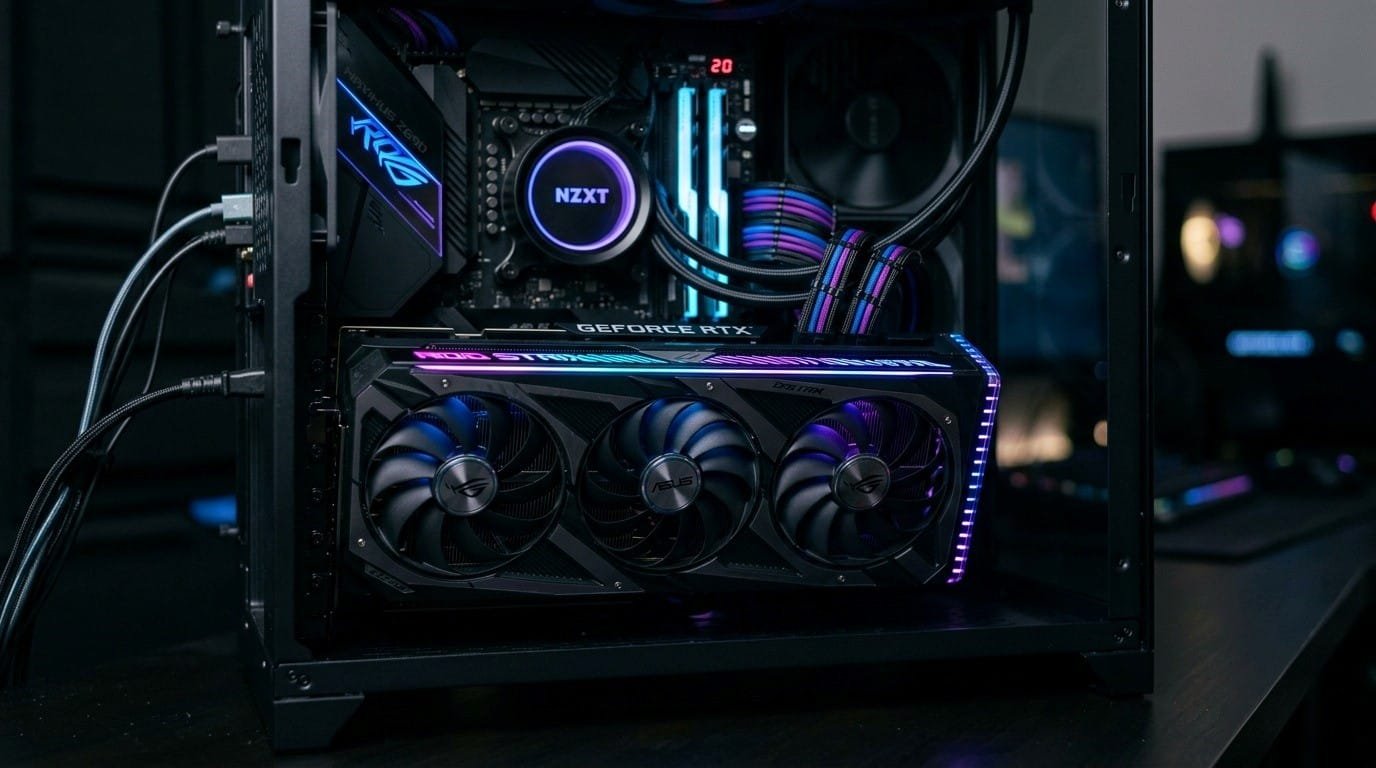

Building a gaming PC is one of the most satisfying things a tech enthusiast can do. Every component decision feels deliberate, every cable run feels intentional, and when that first boot screen lights up, the payoff is real. But of all the decisions you will make during a build, choosing the right GPU for gaming is the one that will define your experience more than almost anything else. Get it right, and you will be pulling triple-digit frame rates at stunning resolutions for years. Get it wrong and you will be bottlenecked, frustrated, and shopping again sooner than you planned.
If you have been doing your research and feel ready to pull the trigger, you can Buy Graphics Card and Upgrade Your Setup today from a range of reputable retailers, both online and in-store. But before you do that, it is worth taking a step back and understanding exactly what separates a great GPU choice from an expensive mistake. This guide is written for PC builders who already know the basics and want a deeper, more practical breakdown of the decision-making process.
Why the GPU Is the Heart of Any Gaming Build
A lot of first-time builders make the mistake of over-investing in their CPU and treating the GPU as an afterthought. The reality is that in gaming workloads, the graphics card is doing the vast majority of the heavy lifting. It is rendering every frame, applying every texture, calculating every lighting effect, and pushing all of that data to your display in real time.
Your CPU matters, of course. A weak processor can absolutely bottleneck a powerful GPU, particularly in CPU-heavy games like strategy titles and open-world simulations. But even with a mid-range processor, a strong graphics card will deliver far more noticeable improvements to gaming performance than upgrading the CPU would. That principle should anchor your budget allocation from the very start.
Think of the GPU as the engine in a sports car. Everything else, the CPU, RAM, storage, is the chassis, transmission, and drivetrain. They all need to work together, but no amount of chassis refinement compensates for a weak engine.
Understanding GPU Specifications Before You Shop
Walking into the GPU market without understanding the key specs is a fast way to get overwhelmed or misled by marketing numbers. Here is what actually matters when evaluating a graphics card for gaming.
VRAM: More Than Just a Number
Video RAM is the memory your GPU uses to store textures, frame buffers, and other graphical data. In 2024 and beyond, 8GB of VRAM is increasingly becoming the minimum for gaming at 1080p with high texture settings, and it can start to show its limits in newer, more demanding titles. If you are targeting 1440p or 4K gaming, 12GB to 16GB of VRAM gives you considerably more headroom.
The type of VRAM also matters. GDDR6X, for example, offers higher bandwidth than standard GDDR6, which translates to faster data transfer between the GPU and its memory. For most gamers, GDDR6 is more than sufficient, but at the high end, that bandwidth difference becomes tangible.
Clock Speeds, Shader Counts, and Architecture
Manufacturers love to advertise clock speeds because they are easy to compare, but a raw MHz figure means very little without architectural context. A GPU from one generation running at 2.5GHz might easily outperform a previous-generation card running at the same speed, simply because the newer architecture processes more work per clock cycle.
Shader count, also called CUDA cores on NVIDIA cards and Stream Processors on AMD cards, tells you how many parallel processing units the GPU has. More shaders generally means more raw compute power, but again, architecture matters enormously. Always look at real-world benchmark performance in the games you actually play rather than comparing spec sheets in isolation.
Thermal Design Power and Cooling
TDP, or Thermal Design Power, tells you how much electricity the GPU draws under load, which directly correlates to how much heat it generates. A card with a 300W TDP needs a power supply that can comfortably handle that load alongside the rest of your system, and it needs adequate airflow inside your case to stay cool.
If you are building in a smaller form factor case, pay close attention to the GPU cooler design. Triple-fan coolers run quieter and cooler, but are physically massive. Dual-fan designs are more compact but may run hotter under sustained loads. For small form factor builds, some builders opt for blower-style coolers that exhaust heat directly out the rear of the case rather than recirculating it inside the chassis.
Matching the GPU to Your Target Resolution and Refresh Rate
One of the most practical frameworks for choosing the right GPU for gaming is working backwards from your monitor. Your display’s resolution and refresh rate set the performance ceiling you need to hit, and that ceiling largely determines your GPU budget.
Gaming at 1080p
At 1080p, even mid-range graphics cards can deliver exceptional frame rates in most titles. Cards in the mid-tier price bracket will comfortably push high frame rates in competitive shooters and handle most modern AAA titles at high to ultra settings. If you are gaming on a 144Hz or 165Hz monitor at 1080p and prioritize smooth, high frame rate gameplay over raw visual fidelity, a mid-range GPU will serve you extremely well without breaking the bank.
Gaming at 1440p
This is the sweet spot for most enthusiast builders right now. At 1440p, you get a meaningful visual upgrade over 1080p without the brutal performance cost of 4K, and modern upper-mid-range GPUs handle it beautifully. If you own a 1440p 144Hz or 165Hz monitor, budget accordingly for a card that can consistently deliver those frame rates in the titles you play most.
Gaming at 4K
Four K gaming is genuinely stunning, and if your monitor supports it, it is worth pursuing. But the performance cost is real. Even flagship graphics cards can struggle to maintain 60fps in the most demanding 4K titles at maximum settings, and hitting 120fps or above at 4K in modern AAA games requires top-tier hardware. This is the segment where features like NVIDIA DLSS and AMD FSR become not just nice to have, but functionally essential.
NVIDIA vs AMD: Choosing Your Team
This debate has been ongoing for years, and the honest answer in 2024 is that both manufacturers produce excellent GPUs at nearly every price point. The decision often comes down to specific features that matter to your use case.
The Case for NVIDIA
NVIDIA’s DLSS, particularly DLSS 3 with its frame generation technology, is a genuine game-changer for performance in supported titles. Ray tracing performance on NVIDIA cards has historically been stronger as well, and if you care deeply about visually accurate lighting and reflections, that matters. NVIDIA also leads in productivity workloads, which is relevant if your gaming PC doubles as a content creation machine. Their driver ecosystem is mature and generally very stable.
The Case for AMD
AMD has closed the gap significantly in recent years, and its Radeon RX cards offer outstanding rasterization performance, often matching or beating NVIDIA at equivalent price points. AMD’s FidelityFX Super Resolution is an open standard that works across a wider range of games than DLSS. AMD also tends to offer better raw performance per dollar in the mid-range segment, which makes their cards particularly attractive for builders working with tighter budgets.
How to Choose the Right GPU for Gaming Without Overspending
Budget discipline is arguably the most important skill in PC building. It is easy to convince yourself that you need a flagship GPU when a card one tier down would meet your actual gaming needs for considerably less money.
Start by listing the five or ten games you play most frequently and look up their recommended hardware requirements and community-reported performance benchmarks. Sites like Digital Foundry, TechPowerUp, and Hardware Unboxed provide thorough, methodical GPU reviews with real-world gaming benchmarks across multiple titles and resolutions. Use those resources before committing to any purchase.
Also consider the age of your other components. Pairing a flagship GPU with an older CPU and slow RAM can create frustrating bottlenecks that prevent the graphics card from performing to its potential. Sometimes, a slightly less powerful GPU paired with a CPU or RAM upgrade delivers a better overall gaming experience than maxing out the graphics budget alone.
Future-Proofing Your GPU Purchase
No GPU lasts forever, but some purchases age more gracefully than others. As a general rule, buying one tier higher than your current needs is a reasonable future-proofing strategy, provided it fits your budget without forcing cuts elsewhere in the build.
Technologies like ray tracing, mesh shaders, and AI-accelerated rendering are becoming increasingly common in modern game engines. A GPU with strong support for these features will remain relevant longer than one that handles them poorly. VRAM capacity is also a future-proofing consideration, as games are becoming increasingly texture-heavy and memory-hungry with each passing year.
Finally, pay attention to the API support offered by the GPU. DirectX 12 Ultimate compliance ensures compatibility with the full suite of modern rendering features, and that compliance is essentially universal across current-generation cards from both NVIDIA and AMD.
A Few Final Thoughts Before You Buy
Choosing the right GPU for gaming is less about finding the objectively best card and more about finding the best card for your specific build, your specific games, and your specific budget. The enthusiast community can sometimes get caught up in chasing specifications and benchmarks, but the experience that actually matters happens in the games you love, on the monitor sitting on your desk.
Take your time, do your research, read the benchmarks, and let your use case drive the decision. When you land on the right card, the confidence you feel in adding it to your cart will be well-earned. And when that new GPU is seated in your motherboard, and your games are running better than they ever have, you will know you made the right call.






Leave a Reply